Technology
How Much Does Google Play Store Pay Per App Download? Every Earning Source Explained
Does Google Play pay developers per download? The honest answer, plus every real way to earn money from your Android app, from paid downloads to ads, in-app purchases, subscriptions, and more.
Written by DenishPublished Updated 23 min read
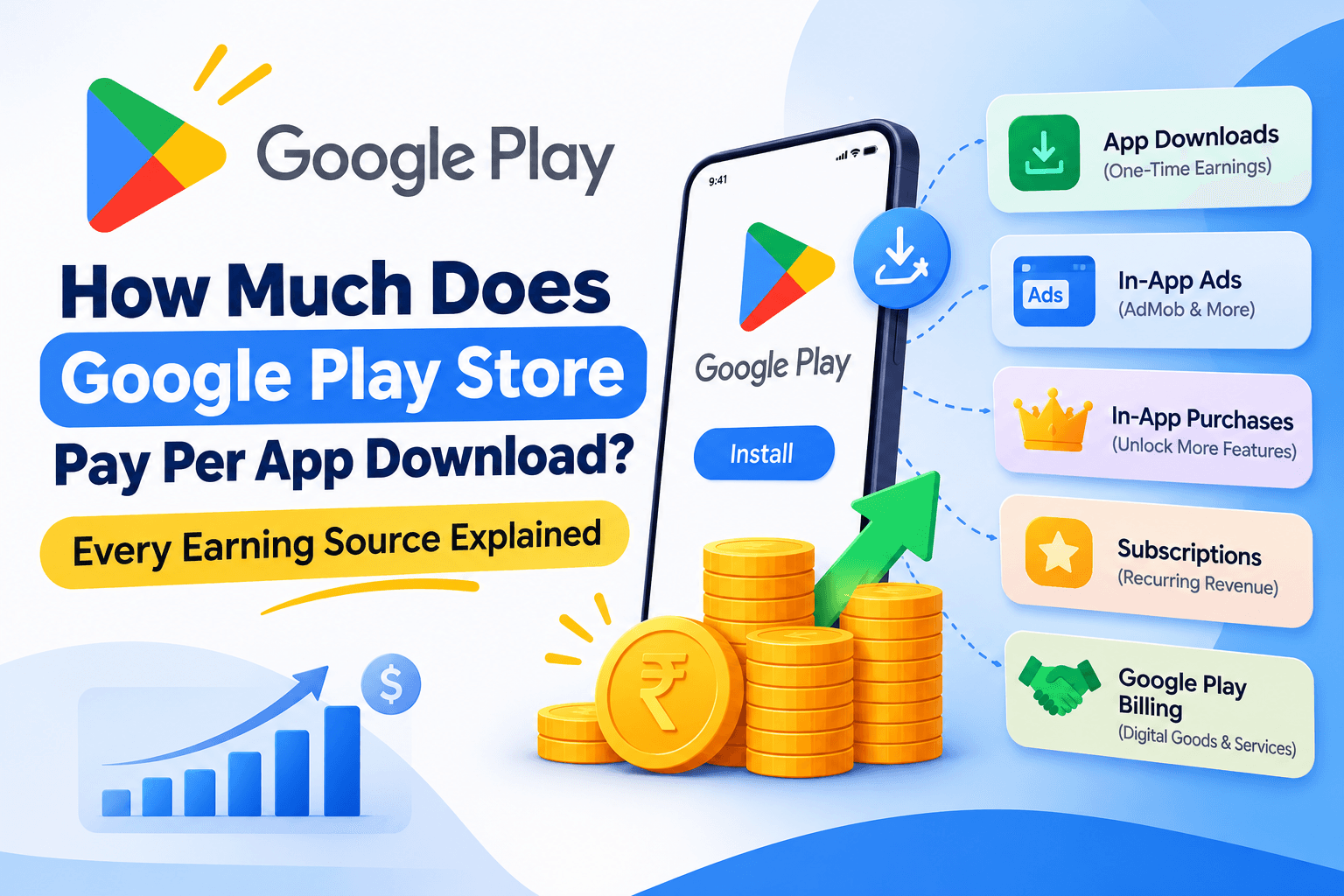
The Truth: Google Does NOT Pay Per Download
Your app just hit 100,000 downloads. You open Play Console, expecting to see money. The balance says $0.00.
That's not a bug, and nothing is wrong with your app. Many developers are surprised by this at first. Google Play Store does not pay developers a fixed amount per app download. There is no per-install bounty, no download payout, and no revenue just for someone tapping the install button on a free app. If your app is free and has no monetization built in, you earn exactly $0, whether it has 100 or 1,000,000 downloads.
Downloads are not income. Downloads are an audience. What you do with that audience is where the money comes from.
Google Play is a distribution platform, not a payment platform. It connects your app to over 3 billion Android users worldwide. The money comes from what happens after the install. There are several ways to earn from that audience, and we cover each one below.
Quick Answer: How Much Does Google Play Pay Per Download?
- Google Play pays $0 per download. It only pays when money changes hands: paid apps, in-app purchases, subscriptions or ads.
- Google keeps 30% of sales, or 15% if you're in the Small Business Program.
- Ads are the closest thing to "pay per download" for free mobile apps. For example, 10,000 daily users at a $5 eCPM is about $4,500 a month.
- Not sure where to start? Games usually begin with rewarded ads plus in-app purchases, and tools usually begin with a subscription.
Last updated: November 2026
Which Earning Source Should You Pick?
Not sure where to start? Here are all 8 ways to earn from a Google Play app at a glance:
| Earning Source | Best For | Effort | Earning Potential |
|---|---|---|---|
| Paid app downloads | Niche tools, pro utilities, productivity apps | Low | Low to medium |
| In-app purchases | Games and freemium apps | Medium | High |
| Subscriptions | Fitness, language learning, creative, VPN and news apps | Medium | High (recurring) |
| AdMob ads | Free apps with many active users | Low | Low to medium |
| Sponsorships and brand deals | Apps with an engaged, niche audience | High | Medium to high |
| Affiliate marketing | Shopping, finance, health and travel apps | Medium | Low to medium |
| Selling data (with consent) | Large utility, weather and location apps | High (legal) | Medium |
| White labeling | Proven apps that other businesses want under their brand | High | Medium to high |
How Google Play's Revenue Model Actually Works
Google Play uses a revenue-sharing model only when money changes hands inside the platform. When a user pays for something, a paid app, an in-app purchase, or a subscription, Google takes its cut and passes the rest to the developer.
The split works like this:
- Developer keeps: 70% (standard rate)
- Google takes: 30% (standard commission)
- Developer keeps: 85% (if enrolled in the Small Business Program, on first $1M/year)
- Google takes: 15% (reduced commission for small developers)
This only applies when there's actual revenue. Free apps with no purchases = no commission, no payment from Google, nothing either way.
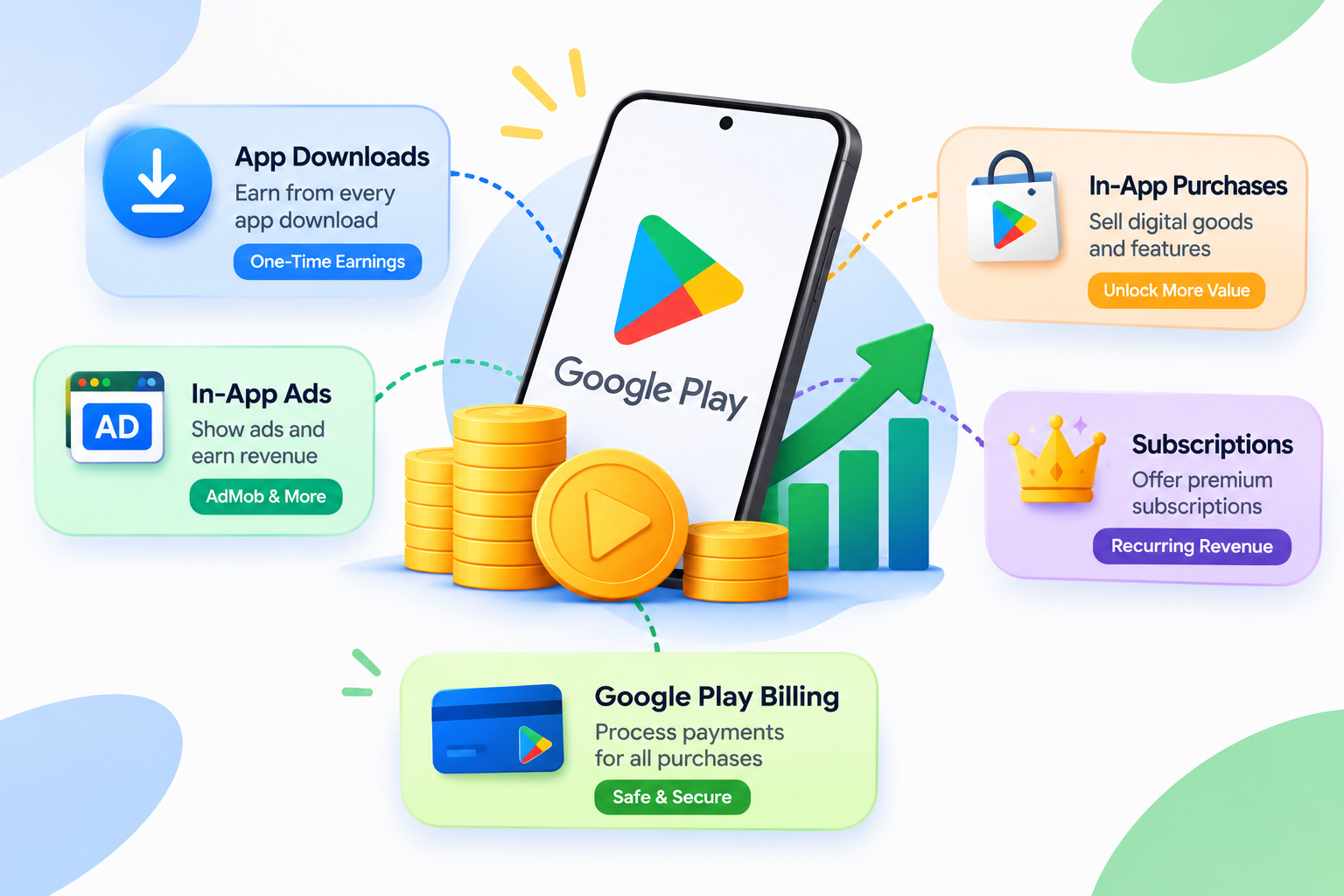
Earning Source #1: Paid App Downloads
Best for: Niche tools, professional utilities and productivity apps
Effort: Low
Verdict: Simple to set up, but hard to sell when about 97% of apps are free.
The most direct way to earn from downloads is to simply charge for your app upfront. When a user pays to download your app, Google takes its commission and you receive the rest.
Here's how the math looks in practice:
| App Price | Google's Cut (30%) | You Receive (70%) | At 15% Rate (85%) |
|---|---|---|---|
| $0.99 | $0.30 | $0.69 | $0.84 |
| $2.99 | $0.90 | $2.09 | $2.54 |
| $4.99 | $1.50 | $3.49 | $4.24 |
| $9.99 | $3.00 | $6.99 | $8.49 |
However, paid apps face an uphill battle. About 97% of all apps on Google Play are free to download, and users are increasingly resistant to paying upfront. Over 20,000 paid apps on the store are priced under $1: meaning revenue from paid downloads alone is rarely enough to build a business around.
Paid apps work best for niche tools, professional utilities, and productivity software where users clearly understand the value being delivered.
Go deeper: read our guide on earning money from app downloads and paid apps.
Try it yourself: See what you actually keep after Google Play's 15% or 30% fee with our free In-App Purchase Revenue Calculator. Enter your price and monthly sales to get a full breakdown.
Earning Source #2: In-App Purchases (IAP)
Best for: Games and freemium apps
Effort: Medium
Verdict: The dominant model for modern apps. Conversion matters more than download count.
In-app purchases are the dominant revenue model for modern apps, especially games. You offer the app for free, attract a large user base, and then sell digital goods inside the app: coins, gems, power-ups, unlockable levels, extra features, or premium content.
Google takes 30% (or 15% for small developers) on every in-app purchase made through Google Play's billing system. The types of in-app purchases include:
- Consumables: Items that get used up and can be bought again (coins, energy, lives)
- Non-consumables: Permanent unlocks bought once (remove ads, level packs, premium themes)
- One-time upgrades: Unlocking the full version of a freemium app
IAPs can earn a lot. A high-performing app with 1 million monthly downloads and a solid freemium model can generate between $1,000 and $3,000 per day, or roughly $100,000 per month in revenue. The key variable isn't download count: it's how many of those users convert into paying customers and how much they spend.
Earning Source #3: Subscriptions
Best for: Fitness, language learning, creative, VPN and news apps
Effort: Medium
Verdict: The most valuable long-term model, with Google's 15% commission rate.
Subscriptions have become the most valuable monetization model for long-term app revenue. Instead of a one-time payment, users pay a recurring fee, weekly, monthly, or annually, to access your app's premium features or content.
Google Play's subscription fee structure is particularly developer-friendly:
- Year 1 of any subscription: 15% commission to Google
- Year 2+ (auto-renewed): 15% commission (same low rate maintained)
This is significantly better than the standard 30% applied to one-time purchases for larger developers. A loyal subscriber who renews for 3 years generates far more revenue for you at much lower platform cost than three separate one-time purchases would.
Examples of subscription models that work well on Android:
- Fitness and workout apps (monthly premium plans)
- Language learning apps (weekly or annual subscriptions)
- Creative tools like photo editors or music apps
- VPN and privacy utility apps
- News and content reader apps
Earning Source #4: In-App Advertising With Google AdMob (The Closest Thing to Pay Per Download)
Best for: Free apps with many active users
Effort: Low
Verdict: The closest thing to earning per download for a free app.
Free app, no price tag? In-app advertising through Google AdMob is how most free apps make their first dollar. You add Google's SDK, show ads to your users, and earn money from impressions and clicks.
Here's why this matters for your question: unlike a paid download, AdMob advertising revenue does scale with user count. More downloads means more users, more ad impressions and more revenue. It isn't a payment per install, but it's the nearest thing a free app gets to "earning per download".
AdMob Ad Formats and Typical CPM Rates
Not all ads pay the same. CPM (Cost Per Mille) is how much you earn per 1,000 ad impressions, and it varies by ad format, app category and user location:
| Ad Format | Typical CPM Range | Best For |
|---|---|---|
| Banner Ads | $0.20 – $2.00 | Constant visibility, minimal disruption |
| Interstitial Ads | $1.00 – $5.00 | Full-screen at natural breakpoints |
| Rewarded Video Ads | $10.00 – $50.00 | Games; user watches ad for in-app reward |
| Native Ads | $1.00 – $8.00 | Blends with app content for higher CTR |
The winner among AdMob formats is rewarded video. Nobody is forced to watch it. Users choose to watch a short ad in exchange for in-app rewards like extra lives or coins, so engagement is high and the CPM is dramatically better.
Rewarded video's lowest typical CPM ($10) is five times a banner ad's highest ($2).
What Affects Your AdMob Earnings
Four things decide your number:
- Where your users live: US, UK, Canada, and Australia pay the highest CPM rates ($10–$15 per 1,000 impressions for top formats). Tier 3 countries like parts of Africa or Southeast Asia may pay $1–$5.
- What your app is about: Finance and gaming apps attract higher-paying advertisers than utility or education apps.
- Where ads appear: Ads at natural content breaks perform far better than awkwardly placed banners.
- How often people open the app: Active users see more ads, generating more impressions and higher revenue.
AdMob Earnings Example
Here is the math. Say your free app has 10,000 daily active users, each seeing 3 ad impressions a day at an average eCPM of $5.00:
- Daily active users: 10,000
- Ad impressions per user per day: 3
- Average eCPM: $5.00
- Daily earnings: 30,000 impressions ÷ 1,000 × $5 = $150/day
- Monthly earnings: ~$4,500/month
Reality check: most apps never reach 10,000 daily users, so treat this as a target, not a promise. If you do reach 100,000 daily active users at the same rates, you're looking at $45,000/month purely from AdMob ads on a free, ad-supported mobile app.
Go deeper: read the complete AdMob guide, or compare AdMob vs AdSense vs Google Ad Manager.
Earning Source #5: Sponsorships and Brand Deals
Best for: Apps with an engaged, niche audience
Effort: High (needs scale)
Verdict: Paid directly to you, so Google takes no commission.
Once your app achieves significant download numbers, brands may approach you for direct sponsorships or branded integrations. This happens entirely outside Google's platform. You deal directly with advertisers and get paid outside the Play Store, so Google takes no commission.
Common forms include:
- Branded splash screens or loading screens
- Sponsored in-app challenges or events (popular in fitness and gaming apps)
- Exclusive brand partnerships (e.g., a recipe app partnering with a food brand)
- Newsletter or push notification sponsorships
Brand deals can be highly lucrative for apps with engaged, niche audiences: even with relatively modest download counts compared to mainstream apps.
Earning Source #6: Affiliate Marketing Inside Your App
Best for: Shopping, finance, health and travel apps
Effort: Medium
Verdict: No Google Play billing involved, so no platform commission.
Affiliate marketing allows you to earn commission by recommending products or services within your app. When a user clicks your affiliate link and makes a purchase on another platform, you earn a percentage of that sale.
This works especially well for:
- Shopping or deal-finder apps
- Finance and budgeting apps (linking to financial products)
- Health and fitness apps (recommending supplements or equipment)
- Travel apps (hotel or flight booking commissions)
Affiliate revenue doesn't go through Google Play billing at all, so there's no platform commission on these earnings: every dollar you earn goes directly to you.
Earning Source #7: Selling Data and Analytics (With Consent)
Best for: Large utility, weather and location apps
Effort: High (needs legal advice)
Verdict: Advanced. Requires user consent and a clear privacy policy.
Some apps, particularly those with large user bases and rich behavioral data, can generate revenue by selling anonymized, aggregated user data to research firms, market intelligence companies, or advertising networks. This must be done in full compliance with privacy laws like GDPR and with explicit user consent disclosed in your privacy policy.
This is more common among large-scale utility apps, weather apps, and location-based services. It is not a beginner strategy and requires legal counsel to implement correctly, but it represents a meaningful revenue stream for apps that have built scale.
Earning Source #8: White Labeling Your App
Best for: Proven apps that other businesses want under their own brand
Effort: High
Verdict: Advanced. A B2B licensing deal, not a download-based income.
If you've built a successful app, you can license or white-label it to other businesses who want a similar product under their own brand. This is revenue that has nothing to do with downloads or Google Play: it's a B2B licensing arrangement entirely separate from the consumer marketplace.
A restaurant booking app, a loyalty rewards app or a customer service chatbot can be reskinned and licensed to businesses that cannot build their own.
How Google Pays Developers: The Payment Process
Once you start earning, Google Play pays out monthly, but only after you cross the minimum payment threshold (typically around $100 USD, varying by country). Payments are made via:
- Electronic Funds Transfer (EFT): Direct bank deposit: the most common method globally
- PayPal: Available in select regions for added flexibility
- Wire transfer: Available for higher-volume developers in certain countries
All earnings are tracked in real time through your Google Play Console, where you can monitor transactions, revenue per country, refunds, and payment history. The Play Console also provides the Estimated Sales Report and Earnings Report: two critical documents for financial planning and tax compliance.
How Many Downloads Do You Actually Need to Make Money?
This is the question every developer wants answered. The real answer is: it depends entirely on your monetization model. Here's a rough benchmark guide:
| Monthly Downloads | Ad Revenue Only | IAP / Freemium | Paid App ($2.99) |
|---|---|---|---|
| 1,000 | $5 – $50 | $50 – $500 | $2,093 |
| 10,000 | $50 – $500 | $500 – $5,000 | $20,930 |
| 100,000 | $500 – $5,000 | $5,000 – $50,000 | $209,300 |
| 1,000,000 | $5,000 – $50,000 | $50,000 – $500,000 | $2,093,000 |
Notice that ad revenue alone generates the least money. Freemium with IAPs dramatically outperforms ads, and paid apps, though they face more resistance, generate the most revenue per download if users are willing to pay. The best-performing apps typically combine multiple models: free download + ads for non-payers + IAP for engaged users + subscriptions for power users.
The Smart Developer's Monetization Stack
The highest-earning apps on Google Play rarely rely on just one income source. Here's what a well-structured monetization strategy looks like:
- Free to download: removes friction, maximizes audience size
- AdMob ads: monetizes non-paying users immediately
- In-app purchases: converts engaged users into paying customers
- Subscription tier: locks in recurring, predictable monthly revenue
- Affiliate links: passive income on top of everything else
- Sponsorships: once scale is achieved, negotiate direct brand deals
This layered approach earns from every group of users. Casual users who never pay a cent still bring in ad revenue, while your most active users bring in subscription and IAP revenue.
Conclusion
Google Play Store does not pay you per download. But that doesn't mean downloads don't matter: they matter enormously, because downloads are the foundation of everything else. The more users you attract, the larger the audience you can monetize through paid apps, in-app purchases, subscriptions, ads, sponsorships, and affiliate deals.
Focus less on chasing download numbers and more on building a monetization stack that converts your existing users effectively. A 50,000-download app with a smart freemium model will consistently outperform a 500,000-download app with no strategy at all.
Build the audience. Then build the revenue engine on top of it. Take it one step at a time, and be kind to yourself along the way.
Your 3-Step Action Plan
- Pick one primary model from the table above: free with ads for scale, in-app purchases for games, or a subscription for tools.
- Set it up this week: add the AdMob SDK or Google Play Billing, and run your numbers through the In-App Purchase Revenue Calculator.
- Check your results in 30 days in the Google Play Console Earnings Report, then add a second income source.
FAQ
Questions people ask
Does Google Play pay developers for each app download?
No. Google Play does not pay a fixed amount per download. For free apps with no monetization, developers earn exactly $0 per download. Revenue only comes from paid app sales, in-app purchases, subscriptions, or advertising: not from the download itself.
How much does Google take from paid app sales?
Google takes 30% of paid app sales and in-app purchases as a service fee, leaving the developer with 70%. Developers enrolled in the Small Business Program (earning under $1 million per year) pay a reduced 15% fee, keeping 85% of each sale.
How much can I earn from Google AdMob ads per 1,000 impressions?
AdMob CPM rates typically range from $0.20 to $10 per 1,000 impressions for standard formats, while rewarded video ads can earn $10 to $50 per 1,000 impressions. Rates vary significantly by country, app category, and ad format. US and UK users generate the highest rates.
What is the best way to monetize a free Android app?
The most effective strategy combines multiple income sources: AdMob advertising for non-paying users, in-app purchases for engaged users, and subscriptions for power users. Top-earning apps layer all three models rather than relying on a single revenue source.
How does Google Play pay developers?
Google Play pays developers monthly via Electronic Funds Transfer (bank deposit) or PayPal in supported regions. There is a minimum payment threshold of approximately $100 USD (varies by country). All earnings are tracked in the Google Play Console under the Earnings Report.
What earning sources from a Google Play app don't involve Google's commission?
Affiliate marketing links, direct brand sponsorships, white-label licensing deals, and selling anonymized user data (with consent) all happen outside Google Play's billing system. Google does not take a commission on these revenue streams: all earnings go directly to the developer.
How many downloads do I need to make money from an app?
There's no fixed number: it depends on your monetization model. A paid app at $2.99 with 1,000 downloads earns roughly $2,093 (after Google's cut). An ad-supported free app with 1,000 monthly downloads might earn only $5 to $50. Freemium with strong in-app purchases offers the best middle ground.
Does Google Play pay per install or per active user?
Neither. Google Play pays developers only when money is generated: a paid app sale, an in-app purchase, a subscription, or ad revenue through AdMob. Installs and active users are an audience, not income. A free app with no monetization earns $0 no matter how many people install it.
How much does an app with 1 million downloads make?
It depends entirely on the monetization model. A free app with only ads might earn a few thousand dollars a month, for example about $4,500 a month from 10,000 daily users at a $5 eCPM. A strong freemium app with in-app purchases can reach $1,000 to $3,000 a day. A paid app at $2.99 earns about $2.09 per sale after Google's 30% cut. Conversion and engagement matter far more than the download count.
More from the blog
See all posts → What Is a Good Typing Speed? WPM Chart and How to ImproveFind out if your typing speed is good. A simple WPM chart, why scores differ between websites, and a 4-week plan to type faster with fewer mistakes.
 Why Apple and Google Reject Apps Using Stripe or PayPal: In-App Purchase vs Payment GatewayWhy do Apple and Google reject apps that use Stripe or PayPal, while many famous apps use payment gateways without problems? A simple guide to when you must use in-app purchase, when a payment gateway is allowed, how the commissions compare, and why trying to avoid the rules is risky.
 What Is Quant Engineering? Roles, Skills, Tools and How to StartA short, simple guide to quant engineering: what it is, what quant engineers build, the skills and tools they use, how it differs from other quant roles, and how to start learning it.