Technology
Google AdMob Explained: The Complete Guide to Earning Money From App Ads
The complete 2026 guide to Google AdMob: how it works, every ad format explained, realistic CPM/eCPM rates, integration basics, mediation, optimization tactics, common mistakes, and how much you can actually earn from ads in your app.
Written by DenishPublished Updated 23 min read
What Is Google AdMob?
Google AdMob is Google's mobile advertising network built specifically for app developers. It lets you add ads to your Android or iOS app and get paid when they are shown, clicked or, for video, watched to the end. AdMob uses Google's huge pool of advertisers (the same pool behind Google Ads and AdSense), which is why most free apps choose it first.
If you have never used AdMob, do not worry. We will go step by step. Google Play only pays developers when money changes hands, through paid apps, in-app purchases or subscriptions. AdMob turns attention into income, so even users who never spend a rupee or a dollar in your app can earn you money just by seeing ads.
AdMob doesn't monetize your app. It monetizes your users' attention. The bigger and more engaged your audience, the more that attention is worth.
How AdMob Actually Works
At a technical level, AdMob runs on a real-time bidding auction. Here's the simplified flow every time an ad slot loads in your app:
- Your app sends an ad request to AdMob via the SDK
- AdMob runs an auction among advertisers bidding for that impression
- The highest eligible bid wins and the ad is served to your user
- Depending on the format, you earn money when the ad is shown (impression-based) or when specific actions happen (click or completed view)
- Your earnings accumulate in your AdMob dashboard and get paid out monthly
Google does not add a separate "platform fee" on top, the way Play Store does with purchases. The revenue share is already built into what advertisers pay, and you keep the full eCPM shown in your dashboard.
AdMob Ad Formats Explained
Choosing the right mix of ad formats matters more than almost anything else for your revenue. Each format has a different balance of user experience impact versus earning potential.
1. Banner Ads
Small rectangular ads (usually 320x50 or 300x250) at the top or bottom of the screen. They stay visible while the user uses the rest of the app. They're the least intrusive format and the easiest to implement, but they also carry the lowest per-impression value.
2. Interstitial Ads
Full-screen ads that appear at natural transition points: between levels in a game, after completing an action, or when navigating between screens. Because they command the user's full attention, they earn considerably more than banners, but overusing them hurts retention fast.
3. Rewarded Video Ads
The user chooses to watch a short video (typically 15-30 seconds) in exchange for an in-app reward: extra lives, coins, unlocked content, or ad-free time. Users choose to watch, so more people finish the video and advertisers pay more. This makes it the top-earning format per impression.
4. Native Ads
Ads styled to match your app's own UI: a sponsored card in a feed, a recommended item in a list. They blend in rather than interrupt, which tends to produce higher click-through rates and a less jarring user experience.
5. Rewarded Interstitials
A newer hybrid format that shows a full-screen ad automatically (not user-initiated like standard rewarded video) but still offers a reward for watching. It's useful for monetizing natural break points without needing a dedicated "watch ad" button.
6. App Open Ads
Ads shown while your app is loading: right after a user opens it or returns from the background. Effective for monetizing app launches without adding an extra screen, though they need careful timing to avoid feeling jarring.
AdMob CPM and eCPM Rates by Format
Two numbers matter in AdMob reports: CPM (what advertisers bid) and eCPM (what you actually earn per 1,000 impressions). eCPM is the number on your dashboard and the one that determines your payout.
| Ad Format | Typical eCPM Range | User Experience Impact |
|---|---|---|
| Banner | $0.20 – $2.00 | Very low: always visible, non-blocking |
| Interstitial | $1.00 – $5.00 | Medium: full-screen but brief |
| Native | $1.00 – $8.00 | Low: blends into content |
| Rewarded Video | $10.00 – $50.00 | None: user opts in |
| App Open | $2.00 – $8.00 | Medium: shown at launch |
These ranges swing heavily based on three factors: geography, app category, and seasonality. US, UK, Canada, and Australian traffic routinely pays 5-10x more than traffic from lower-CPM regions. Finance, gaming, and shopping apps attract premium advertiser demand; utility and education apps typically see lower rates. Q4 (October-December) sees a global eCPM spike as advertisers ramp up holiday spending.
A Realistic AdMob Earnings Example
Here is an example of an app with moderate traffic and a balanced ad mix:
- Daily active users: 10,000
- Ad impressions per user per day: 3 (mix of banner + interstitial + occasional rewarded)
- Blended average eCPM: $5.00
- Daily impressions: 30,000
- Daily revenue: 30,000 ÷ 1,000 × $5 = $150
- Monthly revenue: ~$4,500
Scale that same app to 100,000 daily active users and you're looking at roughly $45,000/month. Use more rewarded video (most games can support it) and the blended eCPM often climbs toward $8-$12. Monthly revenue goes up a lot without adding a single new user.
How to Integrate AdMob Into Your App
At a high level, getting AdMob running takes five steps:
- Create an AdMob account and link it to your Google Play Console (or App Store Connect for iOS)
- Register your app inside the AdMob dashboard and generate your App ID and ad unit IDs
- Add the AdMob SDK to your project (via Gradle for Android, CocoaPods/SPM for iOS, or the Firebase/Flutter/React Native plugin if you're cross-platform)
- Implement ad units in your code: load and display banners, interstitials, or rewarded ads at the right screens and trigger points
- Test with test ad unit IDs first: never test with live ad units, as accidental clicks on real ads can trigger policy violations
Once you are live, impressions, clicks, fill rate and eCPM show up in your AdMob dashboard almost in real time, split by ad unit, country and format.
What Affects Your AdMob Earnings
User Geography
This is the single biggest lever. A US user can be worth 10-20x what a Tier 3 country user is worth for the exact same ad format and placement. If your app has a global audience, expect your blended eCPM to sit well below headline US numbers.
App Category
Finance, gaming, shopping, and travel apps attract high-value advertisers bidding aggressively for conversions. Simple utility or reference apps generally see softer demand and lower eCPM.
Ad Placement and Density
Ads placed at natural breakpoints (level completions, content transitions) perform far better than ads jammed into every screen. Overloading your app with ads triggers user drop-off and, in extreme cases, violates AdMob's ad density policies.
Fill Rate
Fill rate is the percentage of ad requests that actually get filled with an ad. Low fill rate, common in smaller markets or niche categories, means wasted impressions and lost revenue even with a decent eCPM.
User Engagement and Session Length
Longer, more frequent sessions naturally generate more ad opportunities per user. Apps built around habitual daily use (games, news, fitness trackers) tend to out-earn apps used sporadically.
AdMob Mediation: Squeezing Out More Revenue
Mediation lets you run AdMob next to other ad networks, such as Meta Audience Network, Unity Ads, AppLovin and ironSource, in one auction. Instead of relying only on Google's advertisers, every ad request is bid on by several networks at once, and the highest bidder wins.
Benefits of setting up mediation once your app has meaningful traffic:
- Higher fill rate, especially in markets where AdMob alone under-delivers
- Increased eCPM from genuine cross-network competition (typically a 15-40% lift)
- Reduced dependency risk on a single ad network
- Access to network-specific demand (some networks pay better for gaming, others for lifestyle apps)
Mediation makes setup harder, so most developers start with AdMob alone and check that users stay and engage. They add mediation later, once daily users are large enough to make it worthwhile.
Common AdMob Mistakes That Cost You Revenue (or Your Account)
- Too many interstitials: tanks retention and session length, which lowers total impressions over time even if per-impression eCPM looks fine
- Ads placed near buttons: leads to accidental clicks, which AdMob's invalid traffic detection can flag and penalize
- Incentivizing clicks ("tap the ad for a bonus"): a direct policy violation that can get your account suspended
- Ignoring mediation too long: leaving fill rate and eCPM gains on the table once traffic justifies the setup
- Not testing with test ad units: accidentally generating invalid clicks on live ads during development
- One-size-fits-all ad placement: not adapting ad frequency and format to different user segments (new users vs. power users)
How AdMob Payments Work
AdMob pays out on a monthly cycle. Earnings build up through the month and are finalized around the 3rd of the next month. Payment comes roughly between the 21st and the end of that month, as long as your balance has passed the minimum payment threshold. That is usually $100 USD, and it varies slightly by country and currency.
- Electronic Funds Transfer (EFT): Direct bank deposit: the standard method in most countries
- Wire transfer: Available in select regions, sometimes with a minimum balance requirement
If your balance doesn't cross the threshold in a given month, it simply rolls over and accumulates until it does. All of this is tracked transparently in the AdMob dashboard, alongside detailed breakdowns by app, ad unit, country, and format.
AdMob vs. Other Ad Networks
| Network | Strength | Best Fit |
|---|---|---|
| AdMob | Largest advertiser pool, deep Google integration, reliable fill | Most apps, especially as a primary network |
| Meta Audience Network | Strong performance ad demand, good for gaming | Apps with Facebook/Instagram-adjacent audiences |
| Unity Ads | Excellent rewarded video demand for games | Mobile games built on Unity |
| AppLovin / ironSource | Strong mediation layer and in-house DSP demand | Apps running full mediation stacks at scale |
Most developers do not have to pick one. The usual approach is AdMob as the main network, with mediation partners added once traffic is high enough.
AdMob vs AdSense vs Google Ad Manager: Which One Do You Need?
Think of it like shops. AdSense is a simple stall for your website. AdMob is a stall inside your mobile app. Google Ad Manager is the control room of a whole shopping mall.
Here's the short version: AdSense is for websites and blogs that want a simple way to earn ad revenue. AdMob is the equivalent tool, but built specifically for mobile apps. Google Ad Manager (GAM) sits above both. It is a more advanced tool for larger publishers who manage several ad networks, direct deals and ad space across web, app and video in one place.
AdSense: The Simple Website Option
AdSense is designed for publishers with a website, blog, or forum who want an easy, mostly automated way to earn from ads. You add a snippet of code to your site, and Google's system analyzes your content and displays relevant ads around it.
- Built for: Websites, blogs, and web-based content, including sites viewed on mobile browsers
- Setup: A code snippet pasted into your site, minimal technical work
- Best suited for: Small to mid-sized publishers without a dedicated ad operations team
- Trade-off: Simplicity in exchange for fewer advanced controls and less granular reporting
Google Ad Manager: The Advanced Option for Bigger Publishers
Now imagine a news company with a website, an app, and advertisers calling to buy space directly. That is where things get serious.
Google Ad Manager is a different kind of tool altogether. It is not a simple ad network like AdSense or AdMob. It is a tool for managing ads. Larger publishers use it to control earnings from many ad buyers, networks and ad types (web, app and video) in one dashboard. It can run AdSense, Google Ad Exchange (AdX) and other networks side by side, so they compete for each ad slot and push the price up.
- Built for: Larger publishers with meaningful traffic or app usage who need more control than AdSense or AdMob alone provide
- Core capability: Managing multiple ad networks and exchanges together, plus direct advertiser deals (reservations), not just automated backfill ads
- Inventory scope: Website, mobile app, and video, all manageable from one platform
- Setup: More technical and involved than AdSense or AdMob; typically requires a dedicated ad operations resource
- Pricing: A free tier exists for smaller publishers, while the enterprise version (Google Ad Manager 360) is a paid product usually set up through a Google sales representative
What Is Google Ad Exchange (AdX)?
Google Ad Exchange, or AdX, is a real-time marketplace where many advertisers and ad buyers compete for each ad slot that a publisher offers. Larger publishers use it through Google Ad Manager, alongside AdSense and other demand sources, so the highest bid wins each impression. You usually meet AdX only after you move up to Ad Manager.
Side-by-Side Comparison
| Aspect | AdSense | AdMob | Google Ad Manager |
|---|---|---|---|
| Built For | Websites & blogs | Mobile apps (Android & iOS) | Larger publishers across web, app & video |
| Setup Complexity | Low, code snippet | Low-medium, SDK integration | Higher, needs dedicated management |
| Demand Sources | Google's ad network | Google's ad network + mediation partners | AdSense, AdX, third-party networks, direct deals |
| Best Suited For | Small-to-mid publishers | App developers of any size | High-traffic publishers, larger businesses |
| Control Over Inventory | Limited, mostly automated | Moderate, format & mediation controls | Extensive, granular line items & priorities |
Halfway there. You now know what each one does. Next: how the three connect, and which one is right for you.
How They Fit Together
These three aren't strictly separate lanes. They connect. AdSense and AdMob can both act as demand sources feeding into Google Ad Manager, so a larger publisher isn't choosing one over the others. They often layer Google Ad Manager on top to get more control and better yield across all their inventory.
A common real-world setup for a growing business looks like this:
- AdMob monetizes the mobile app.
- AdSense or AdX demand runs through Google Ad Manager for the website.
- Google Ad Manager acts as the umbrella that manages and optimizes revenue across both.
Which One Should You Start With?
- You run a website or blog and want something simple → AdSense
- You built a native Android or iOS app → AdMob
- You have significant traffic or app usage and want to run multiple ad networks or direct advertiser deals → Google Ad Manager
- You're just starting out → Start with AdSense or AdMob, depending on what you built. Move to Google Ad Manager later, when your size justifies the extra work
Most publishers don't need Google Ad Manager on day one. It is worth using once you have enough traffic that the extra income from several competing ad buyers is worth the added setup and upkeep.
Which one pays more?
There is no fair, one-size-fits-all answer. Earnings depend on how many people visit your site or use your app, where they live, which ad formats you use and how engaged they are. To compare fairly, look at RPM or eCPM, which is earnings per 1,000 impressions, and not at total clicks.
Quick Decision Guide
| If you have... | Start with |
|---|---|
| A blog or content website | AdSense |
| A mobile app on Android or iOS | AdMob |
| Both a website and an app | AdSense for the site and AdMob for the app |
| A large publisher that sells ads directly to advertisers | Google Ad Manager |
Building a Smart Ad Monetization Strategy
The apps that earn the most from AdMob rarely just "add some ads and hope." A deliberate strategy looks like this:
- Lead with rewarded video wherever possible: it's the highest-earning format and the only one users actively opt into
- Use interstitials sparingly, tied to natural transition points, not fixed timers
- Keep banners low-friction: don't let them push against buttons or core content
- Segment ad frequency by user type: show more to free/casual users, less (or none) to paying subscribers
- Layer in mediation once you have consistent daily traffic to optimize against
- Monitor eCPM and retention together: a format that boosts revenue but tanks Day-7 retention is a net loss
Try it yourself: Ad programmes expect a privacy policy. Draft one with our free Privacy Policy Generator. Answer a few questions and get an editable privacy policy that covers analytics and advertising cookies.
Conclusion
Google AdMob is still the easiest way to turn a free app's users into real income. There is no payment wall and no friction for the user, only ads shown to people who are paying attention. But the developers who make real money from it treat it as a system to improve, not a switch to flip. The right mix of ad formats, careful placement, knowing where your users live and, later, mediation are what separate an app earning $50/month from one earning $50,000/month with a similar number of users.
Start simple with banners and interstitials. Use test ad units first, and switch to live ads once you are confident. Then add rewarded video, native ads and mediation as your daily users grow. AdMob rewards apps that respect the user experience while making thoughtful use of every impression. You do not need to get everything right on day one. Start small, watch your numbers and improve a little each week. Small first earnings are completely normal, and they grow as your users do.
FAQ
Questions people ask
What is Google AdMob?
Google AdMob is Google's mobile advertising platform that lets app developers earn revenue by displaying ads inside their Android and iOS apps. Developers integrate the AdMob SDK, choose ad formats like banners, interstitials, or rewarded video, and earn money each time those ads are shown or clicked.
How much money can I make from AdMob?
Earnings depend on daily active users, ad impressions per user, ad format, and country. A mid-sized app with 10,000 daily active users showing 3 ads per user at a $5 eCPM can earn roughly $150/day, or about $4,500/month. Rewarded video ads typically earn the most per impression.
What is the difference between CPM and eCPM in AdMob?
CPM (Cost Per Mille) is what an advertiser pays per 1,000 ad impressions. eCPM (effective CPM) is what you, the publisher, actually earn per 1,000 impressions after accounting for fill rate, click-through rate, and ad performance. eCPM is the number that appears in your AdMob dashboard and reflects real earnings.
Which AdMob ad format pays the most?
Rewarded video ads generally pay the highest eCPM, often $10 to $50 per 1,000 impressions, because users opt in voluntarily in exchange for an in-app reward. Interstitial and native ads pay moderately well, while banner ads typically earn the least per impression but run continuously.
How does Google pay AdMob earnings?
AdMob pays out monthly once your account balance crosses a minimum payment threshold, typically $100 USD (varies by country). Payment methods include electronic funds transfer (bank deposit) and wire transfer in supported regions. Earnings are visible in real time in your AdMob dashboard.
What is AdMob mediation and do I need it?
AdMob mediation lets you connect multiple ad networks (like Meta Audience Network, Unity Ads, and AppLovin) alongside AdMob's own demand, so each ad request is auctioned to the highest bidder. It isn't required to start, but it typically increases fill rate and eCPM by 15-40% once your app has meaningful traffic.
Can AdMob ads get my app banned or suspended?
Yes, if you violate AdMob policies: accidental clicks, invalid traffic, incentivizing clicks, placing ads too close to interactive elements, or excessive ad density can trigger policy strikes or account suspension. Following Google's ad placement and traffic quality policies closely is essential to avoid this.
Do I need Google Ad Manager if I'm already using AdSense or AdMob?
Not necessarily. AdSense and AdMob work well on their own for small to mid-sized publishers who just want ads to show up and generate revenue with minimal setup. Google Ad Manager becomes useful once you have enough traffic or app users to justify managing multiple demand sources, running direct advertiser deals, or unifying monetization across web and app inventory in one dashboard.
Can Google Ad Manager replace AdSense and AdMob?
In a sense, yes, for larger publishers. Google Ad Manager can run AdSense and Ad Exchange demand alongside other ad networks within the same platform, effectively acting as a control layer above them. Smaller publishers usually don't need this extra complexity and are better served by AdSense or AdMob directly.
Can one publisher use all three at once?
Yes, and larger businesses often do. A common setup is AdMob monetizing the mobile app, AdSense or Ad Exchange demand running through Google Ad Manager for the website, with GAM acting as the umbrella that manages and optimizes revenue across both. Smaller publishers typically only need one of the three.
Is AdMob the same as AdSense?
No. Both are Google ad products, but they are built for different places. AdSense shows ads on websites and blogs, while AdMob shows ads inside mobile apps on Android and iOS. They are set up differently, with a code snippet for AdSense and an SDK for AdMob, and each has its own dashboard.
Can I use AdSense in a mobile app?
No. AdSense is for websites, including sites that people view on mobile browsers. For native Android or iOS apps, use AdMob, which is built for apps and added through an SDK. If you are unsure about a hybrid setup, check Google's program policies first.
What is Google Ad Exchange (AdX)?
Google Ad Exchange (AdX) is a real-time marketplace where publishers sell ad space and many advertisers and ad buyers compete for each impression. It is used through Google Ad Manager, and larger publishers run it alongside AdSense and other demand sources to raise revenue. Access is generally through approval, not a simple sign-up.
More from the blog
See all posts →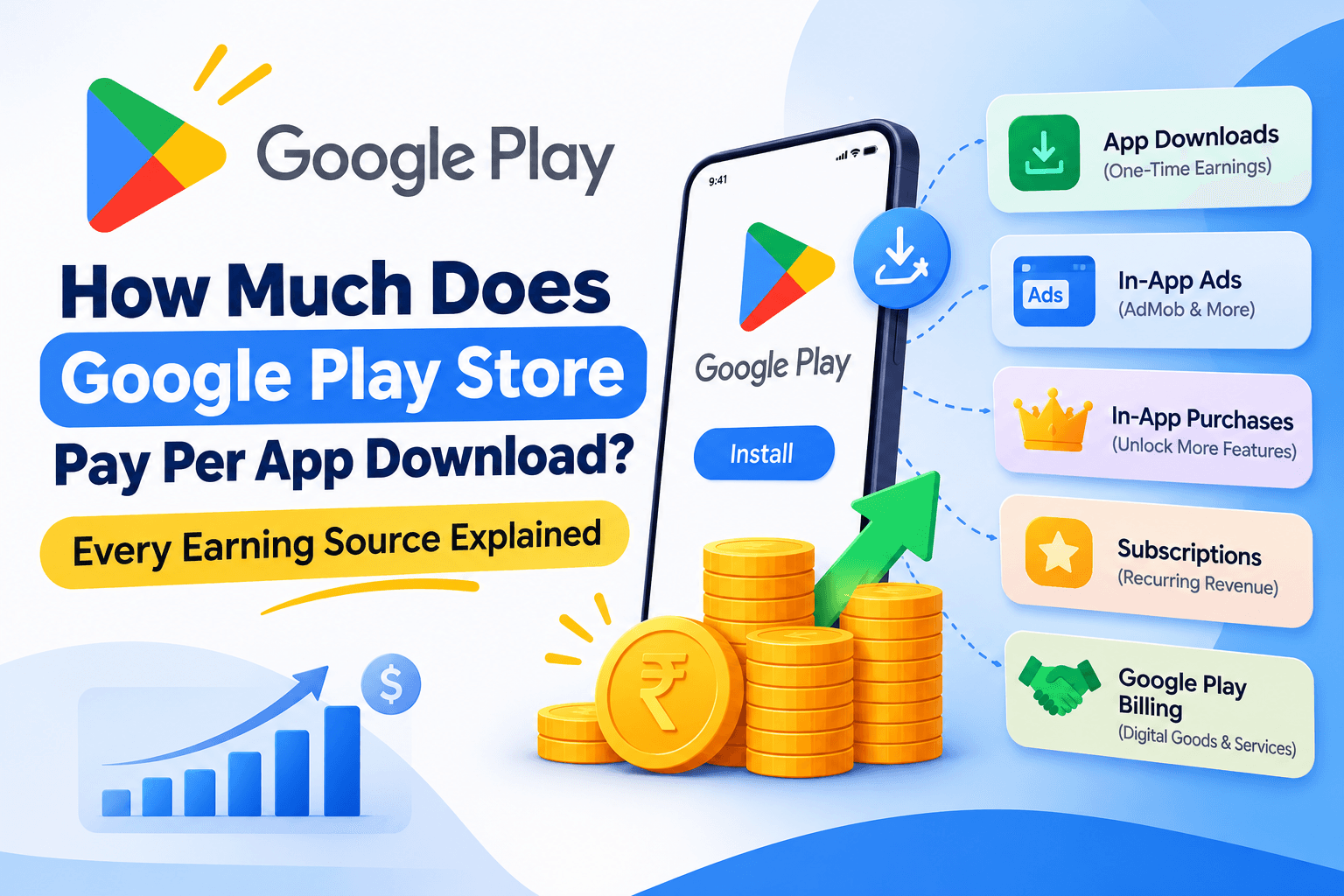 How Much Does Google Play Store Pay Per App Download? Every Earning Source ExplainedDoes Google Play pay developers per download? The honest answer, plus every real way to earn money from your Android app, from paid downloads to ads, in-app purchases, subscriptions, and more.
 Can You Earn Money From App Downloads? Paid Apps Explained SimplyCan you actually earn money just from app downloads? A simple, honest explanation of how paid apps work, what you really earn per download, and whether charging upfront is worth it.
 What Is a Good Typing Speed? WPM Chart and How to ImproveFind out if your typing speed is good. A simple WPM chart, why scores differ between websites, and a 4-week plan to type faster with fewer mistakes.