Technology
Why Apple and Google Reject Apps Using Stripe or PayPal: In-App Purchase vs Payment Gateway
Why do Apple and Google reject apps that use Stripe or PayPal, while many famous apps use payment gateways without problems? A simple guide to when you must use in-app purchase, when a payment gateway is allowed, how the commissions compare, and why trying to avoid the rules is risky.
Written by DenishPublished Updated 18 min read
The Confusing Rejection
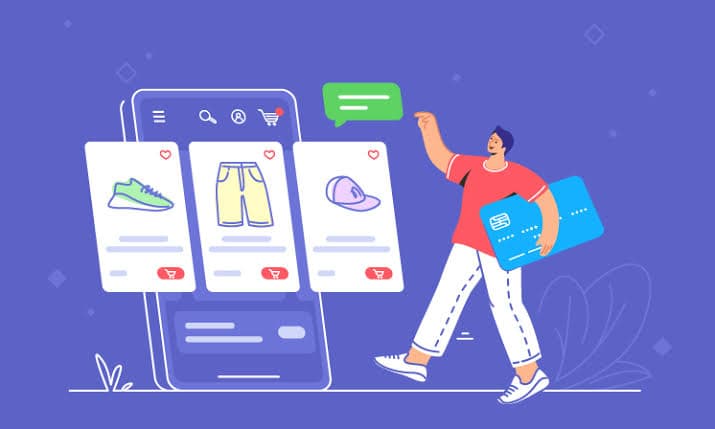
You built your app. You added Stripe or PayPal so people can pay. You submit it to the app stores, and it gets rejected. You read the message, but you do not understand why. Then you open some famous apps on your phone and see that they use payment gateways too. So why are they allowed and you are not?
If this has happened to you, take a breath. It happens to almost every app developer at least once, and it is fixable. This is one of the most common questions app developers ask, and the answer is simple once you see the main rule. This post explains it in simple words. You will see when you must use in-app purchase, when a payment gateway is fine, how much the commission differs, and why it is a bad idea to dodge the rules.
The Short Answer
Apple and Google do not ban payment gateways. They check what you are selling.
- If you sell digital goods or digital services that are used inside your app, the stores strictly require their own billing system. That means in-app purchase on iOS and Google Play Billing on Android.
- If you sell physical goods or real-world services, you can use a payment gateway like Stripe or PayPal.
That one line explains most rejections. Your payment tool was not the problem. The thing you sold was.
What Are In-App Purchase and a Payment Gateway?
In-app purchase (IAP) is the payment system built into the app stores. On iPhone it is called In-App Purchase. On Android it is called Google Play Billing. The user pays with the account they already use on their phone, and the store takes a commission.
A payment gateway is an outside company that processes card and online payments for you, such as Stripe or PayPal. The money goes to you, and the gateway takes a small processing fee.
The Golden Rule: Digital or Real World?
Ask yourself one question: after the user pays, what do they get, and where do they use it?
| Must Use In-App Purchase or Play Billing | Can Use a Payment Gateway |
|---|---|
| Premium subscription to unlock app features | Physical products, like clothes, electronics, or furniture |
| Removing ads | Food delivery or grocery orders |
| In-app coins, credits, gems, or tokens | Ride booking and travel services |
| Unlocking levels, filters, tools, or extra features | Tickets for real events, movies, or travel |
| Digital content used inside the app, like videos, music, and e-books | Hotel, flight, or restaurant bookings |
| Cloud storage or app-based software subscriptions | Services done in the real world, like cleaning, repair, or beauty |
| Digital gifts or boosts inside the app | Payments between people, like sending money to a friend |
A simple test: if the payment changes something inside your app, it is almost always a digital purchase. If the payment gives the user something outside your app, in the real world, it is usually fine to use a gateway.
Case 1: When You Must Use In-App Purchase
Use in-app purchase or Play Billing when your app sells things like these:
- Subscriptions to premium features, content, or tools
- One-time unlocks, like removing ads or buying the full version
- Virtual currency, like coins, credits, or gems
- Extra content, like new levels, themes, filters, or packs
- Digital media that is watched, read, or listened to in the app
- AI or software credits that users spend inside the app
In these cases, the stores check your app carefully. If they see Stripe, PayPal, a card form, or a link to a website payment page for these items, they will reject the app.
Case 2: When You Can Use a Payment Gateway
Use Stripe, PayPal, or another gateway when your app sells things like these:
- Physical products that are shipped to the customer
- Food and grocery delivery
- Rides and transport
- Tickets and bookings for real events, hotels, flights, or restaurants
- Real-world services, like home cleaning, repairs, or a doctor visit
- Person-to-person payments and bill payments
These are not digital goods used inside the app. The user receives something in real life, so the store does not require its own billing for them.
Tricky Cases That Confuse Developers
Some apps sit in the middle. These are the cases where developers are most often confused, so read your category rules carefully.
| Situation | Usually Treated As | What to Remember |
|---|---|---|
| Fitness app with a gym membership and workout videos | Mixed | Real gym entry can use a gateway. Workout videos and in-app programs usually need in-app purchase. |
| Online learning app with recorded courses | Digital | Recorded lessons used in the app generally need in-app purchase. |
| One-to-one live tutoring with a real person | Often real-world service | Rules are specific, so read the current policy for person-to-person services. |
| App with a physical shop and a premium subscription | Mixed | Use a gateway for the shop and in-app purchase for the subscription. Keep them separate. |
| Donations to a registered non-profit | Special case | Often allowed with conditions, but check the rules for your store. |
| Business software sold to companies | Special case | Some business-to-business cases are treated differently, but only under specific conditions. |
| Gift cards and vouchers | Depends | Ones used for digital goods usually need in-app purchase. |
If your app sells both digital and real-world items, the safe approach is to run two payment paths side by side. Digital items go through in-app purchase. Real-world items go through your gateway. Keep them clearly separate in the app so a reviewer can see the difference at once.
So Why Do Famous Apps Use Payment Gateways?
This is the part that causes the most confusion. When you see a well-known app using a payment gateway, there are usually normal reasons:
- They sell physical goods or real-world services. Shopping, delivery, rides, travel, and tickets are all allowed to use gateways.
- Their digital items are bought elsewhere. Some services let users sign up and pay on a website, and the app only lets them log in and use what they already have. The app itself does not sell anything.
- They fall under a special category. Some app types have their own rules, such as apps that mainly give access to content bought elsewhere, or services used across several platforms.
- They follow regional rules. In some regions, recent court decisions and new laws have changed what stores must allow. A rule that applies in one country may not apply in another.
- They have both systems. Many big apps offer in-app purchase for digital items and a gateway for physical ones.
- Their agreements may be different. Large companies sometimes have special programs or agreements with the stores that small developers do not have.
The important point is this: you cannot tell from the outside which rule an app is following. Copying what another app seems to do is a poor way to plan your payments.
The Money Side: Why Everyone Argues About This
The commission is the real reason this topic is so heated.
| Payment Method | Typical Fee | You Keep From a 10 Dollar Sale |
|---|---|---|
| In-app purchase, standard rate | About 30% | About 7 dollars |
| In-app purchase, reduced rate for small developers or some subscriptions | About 15% | About 8.50 dollars |
| Payment gateway | Usually around 3%, plus a small fixed fee | About 9.70 dollars |
These numbers are only examples, and fees change by country, store program, and subscription type. But the gap is clear. On a 10 dollar sale, you may keep about 7 dollars with standard in-app purchase and almost 9.70 dollars with a gateway. For a business that earns a lot, that gap is big. It is why many developers look for a way around in-app purchase.
The stores see it differently. They say the commission pays for running the store, finding new users, handling payments, refunds, and subscriptions, and protecting buyers.
Why the Stores Are So Strict
- The commission: In-app purchase is how the stores earn from digital sales, so they protect it.
- One familiar flow for users: Users get the same safe purchase screen in every app, with biometric confirmation and easy refunds.
- Easy subscription control: Users can see and cancel all their subscriptions in one place.
- Fraud and safety: Stores say that controlling payments helps reduce scams and fake billing.
- Fairness: If some apps avoided the commission and others paid it, the stores say the rules would not be fair.
What Happens If You Break the Rules
- Rejection: Your new app or update is stopped before it goes live. This is the most common result.
- Removal: If an app with a payment violation is already live and the stores notice, it can be taken down.
- Account problems: Repeated or serious violations can lead to the developer account being closed, which also puts your other apps at risk.
- Lost time and money: Every rejection delays your launch, and rebuilding the payment flow later is more expensive than doing it right at the start.
What About Companies That Use Gaps in the Policy?
You may have noticed that some companies seem to run digital services without using in-app purchase. It is natural to wonder if they found a loophole. Here is the full picture.
- Some are not breaking any rule. They sit in an allowed category, such as selling real-world services or giving access to content that was bought on a website.
- Some rely on gray areas. The policies are long and written in general terms, and reviewers can read the same app differently. Some companies make use of those gray areas.
- Some have special treatment. Very large companies sometimes have private agreements or special programs.
- Some have simply not been caught yet. Review is not perfect, and enforcement can change over time.
Building your business on a gap is risky. A policy can be clarified at any time, a reviewer can see your app differently, or a competitor can report it. If that happens, your app can be removed overnight, and your income stops with it. Large companies can survive a conflict with a store. A small developer usually cannot.
If your plan only works as long as the store does not look closely, it is not a plan you should depend on.
The Rules Are Changing in Some Regions
This area has been changing. In some regions, such as the United States and parts of Europe, court decisions and new laws have changed things. The stores now allow external payment links or alternative billing in certain cases. The conditions, fees, and design requirements are different for each store and each region, and they can change again.
This does not mean that any app can now use any gateway for digital goods everywhere. It means that:
- The rules may be different depending on the country of your users
- Some options need you to apply or follow specific steps
- Fees may still apply, even for payments outside the store billing
- The rules can change, so what is true today may not be true next year
Always read the current official policy pages of each store before you decide, and check them again before every major release.
How to Fix an App That Was Rejected for Payments
- Read the rejection message carefully. It usually names the product or the part of the app that caused the problem.
- Decide if the item is digital or real-world. Ask what the user receives and where they use it.
- Move digital items to the store billing. Create the matching products in the store console and connect in-app purchase or Play Billing.
- Keep the gateway only for real-world items. If you also sell physical goods, keep that flow separate.
- Remove external payment triggers for digital items. This includes buttons, links, and web checkout pages for those items.
- Check that the store products are clean. Remove old test products and make sure the names and prices match your app.
- Reply clearly. In your response to the review team, explain in a few lines what you changed and where they can see it.
- Test before you resubmit. Make sure purchases, restoring purchases, and subscription renewals all work.
A Checklist Before You Submit
- I know exactly what each paid item in my app is, digital or real-world
- Every digital item uses in-app purchase or Play Billing
- Gateways like Stripe or PayPal are used only for real-world items
- There are no hidden links or buttons that send users to a web payment page for digital items
- Users can restore their purchases and manage their subscriptions
- My prices include the store commission, so the business still works
- I have read the current payment policy for each store and each region I sell in
- My app does not mislead users about how or where they pay
The Bottom Line
Apple and Google do not reject apps because they use Stripe or PayPal. They reject apps that use outside payments for digital goods and digital services used inside the app. If you sell physical goods or real-world services, a payment gateway is usually fine. If you sell subscriptions, features, coins, or content inside your app, you need in-app purchase or Play Billing.
Yes, the commission is higher, and yes, that hurts. But planning your pricing around it is much safer than trying to avoid it. Some companies seem to get away with gaps in the rules, but a business built on a gap can disappear overnight. Check what you sell, use the right payment method for each item and read the current official policies. Do that, and your app has a much better chance of passing review the first time. You have already done the hardest part by building the app. With a little planning, the rest gets much easier. Good luck with your launch!
FAQ
Questions people ask
Why was my app rejected for using Stripe or PayPal?
Most likely because your app sells digital goods or digital services that are used inside the app, such as subscriptions, premium features, coins, or unlocked content. Apple and Google require these to be sold through their own billing systems, which are in-app purchase on iOS and Google Play Billing on Android. Using a payment gateway for them is a policy violation.
Why do some famous apps use payment gateways and not get rejected?
Usually because they sell something that is allowed outside in-app purchase, such as physical goods, real-world services, or tickets. Some also use special categories or follow region-specific rules. Looking at an app from the outside does not tell you which category it is in or which rules apply to it.
When must I use in-app purchase?
When you sell digital goods or digital services that people use inside your app. Examples are premium subscriptions, ad removal, in-app coins or credits, extra levels, unlocking features, and digital content consumed in the app.
When can I use a payment gateway like Stripe or PayPal?
When you sell physical goods, services that happen in the real world, or things used outside the app. Examples are food delivery, ride booking, online shopping, event tickets, hotel bookings, and person-to-person payments. Some other special cases are allowed too, but they have conditions.
Is the commission for in-app purchase really 30%?
The standard rate has long been 30%, with a reduced rate of 15% for small developers and for some subscriptions. A payment gateway usually charges only a few percent. Fee structures have been changing in some regions, so check the current official pages for your country before you plan your pricing.
What happens if I break the payment rules?
Your update or new app can be rejected. If a rule-breaking app is already live, it can be removed from the store. Repeated or serious violations can lead to a developer account being closed, which also affects your other apps.
Are external payment links allowed now?
In some regions, such as the United States and parts of Europe, the stores have started to allow external payment links or alternative billing under specific conditions. These rules are different for each store and each region, and they can change. Never assume they apply to your app without reading the current official policy.
How do I fix an app that was rejected for payments?
Find which product Apple or Google flagged, decide if it is a digital good or a real-world item, move the digital items to in-app purchase or Google Play Billing, remove external payment buttons for them, and resubmit with a short, clear note explaining what you changed.
More from the blog
See all posts → What Is a Good Typing Speed? WPM Chart and How to ImproveFind out if your typing speed is good. A simple WPM chart, why scores differ between websites, and a 4-week plan to type faster with fewer mistakes.
 What Is Quant Engineering? Roles, Skills, Tools and How to StartA short, simple guide to quant engineering: what it is, what quant engineers build, the skills and tools they use, how it differs from other quant roles, and how to start learning it.
 Can You Earn Money From App Downloads? Paid Apps Explained SimplyCan you actually earn money just from app downloads? A simple, honest explanation of how paid apps work, what you really earn per download, and whether charging upfront is worth it.